
Hi Linda.
This is what I get after I included 3 products with 26 attributes ( 2 of 7 and 1 of 12). I have never manipulated any value here. Are they ok? do you need another view?
Thanks again for your time and concern.

Results 1 to 10 of 20
Hybrid View
-
1 Apr 2013, 05:37 PM #1
 New Zenner
- Join Date
- Feb 2013
- Posts
- 20
- Plugin Contributions
- 0
 Re: Packing Slip attributes sorting randomly
-
1 Apr 2013, 05:46 PM #2
Oba-san
- Join Date
- Sep 2003
- Location
- Ohio
- Posts
- 69,402
- Plugin Contributions
- 6
Re: Packing Slip attributes sorting randomly
I was kind of hoping to see all the fields for your customers_id for all of the products/attributes added to the customers_basket_attributes to see what is being put in each of the fields ...
Linda McGrath
If you have to think ... you haven't been zenned ...
Did YOU buy the Zen Cart Team a cup of coffee and a donut today? Just click here to support the Zen Cart Team!!
Are you using the latest? Perhaps you've a problem that's fixed in the latest version: [Upgrade today!]
Officially PayPal-Certified! Just click here
Try our Zen Cart Recommended Services - Hosting, Payment and more ...
Signup for our Announcements Forums to stay up to date on important changes and updates!
-
1 Apr 2013, 05:55 PM #3
New Zenner
- Join Date
- Feb 2013
- Posts
- 20
- Plugin Contributions
- 0
Re: Packing Slip attributes sorting randomly
How can I show them to you? I don't know where to click.
-
1 Apr 2013, 06:06 PM #4
Oba-san
- Join Date
- Sep 2003
- Location
- Ohio
- Posts
- 69,402
- Plugin Contributions
- 6
Re: Packing Slip attributes sorting randomly
Let's say your customers_id was 2, you could do a search for:
and obtain all the fields from the customers_basket_attributes for just customers_id 2 ...Code:SELECT * FROM zen_customers_basket_attributes WHERE customers_id = 2;
Linda McGrath
If you have to think ... you haven't been zenned ...
Did YOU buy the Zen Cart Team a cup of coffee and a donut today? Just click here to support the Zen Cart Team!!
Are you using the latest? Perhaps you've a problem that's fixed in the latest version: [Upgrade today!]
Officially PayPal-Certified! Just click here
Try our Zen Cart Recommended Services - Hosting, Payment and more ...
Signup for our Announcements Forums to stay up to date on important changes and updates!
-
1 Apr 2013, 06:37 PM #5
New Zenner
- Join Date
- Feb 2013
- Posts
- 20
- Plugin Contributions
- 0
Re: Packing Slip attributes sorting randomly
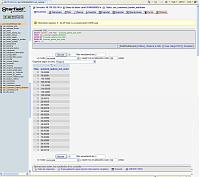
Ok I hope I did it ok. The first screen is the result of the search. The second one when I click on the first attribute. I don't know how to show a table with the values of all of them at the same time. I have to check them one by one.
Sincerely:
Alfonso
-
1 Apr 2013, 06:42 PM #6
Oba-san
- Join Date
- Sep 2003
- Location
- Ohio
- Posts
- 69,402
- Plugin Contributions
- 6
Re: Packing Slip attributes sorting randomly
You have an odd phpMyAdmin that it does not display all the fields on 1 row per attribute ...
I was hoping to spot what might be causing this issue ...
Is this a clean install of Zen Cart v1.5.1 or an upgrade?Linda McGrath
If you have to think ... you haven't been zenned ...
Did YOU buy the Zen Cart Team a cup of coffee and a donut today? Just click here to support the Zen Cart Team!!
Are you using the latest? Perhaps you've a problem that's fixed in the latest version: [Upgrade today!]
Officially PayPal-Certified! Just click here
Try our Zen Cart Recommended Services - Hosting, Payment and more ...
Signup for our Announcements Forums to stay up to date on important changes and updates!
-
1 Apr 2013, 10:12 PM #7
New Zenner
- Join Date
- Feb 2013
- Posts
- 20
- Plugin Contributions
- 0
Re: Packing Slip attributes sorting randomly
Ok, my host is GoDaddy (
 I know, apparently not the best host). You can ask their customer service to install the application and they did it. It is a fresh new installation.
Is everything ok in the SCR4? in product_options_sort_order dropdown Function menu shouldn't be something chosen?
Thanks again.
-
1 Apr 2013, 10:51 PM #8
New Zenner
- Join Date
- Feb 2013
- Posts
- 20
- Plugin Contributions
- 0
Re: Packing Slip attributes sorting randomly
Ok, now I am investigating more the SQL table and I have one question: I can see in SCR4 that the products_options_sort_order is defined as TEXT, and the value is 10.00001, where there should be a 10 alone.
Why is defined as text? shouldn't be defined as INT or MEDIUMINT or TINYINT (any numeric definition) so the table can read it as a number and to order the attributes in ascending order?
Will that be the problem? should I try to modify that definition?
-
1 Apr 2013, 11:17 PM #9
New Zenner
- Join Date
- Feb 2013
- Posts
- 20
- Plugin Contributions
- 0
Re: Packing Slip attributes sorting randomly
Ok. I could finally take a picture of the sort order of the product_option_sort_order attributes. It looks pretty messy to me. Obviously there is a mistake since I define order in integer numbers of 2 in Zen Cart admin attributes order ( SCR6), and they appear with 5 decimals and in not ascendent order. How can I fix this mess? How can I define the ascendent order?
-
1 Apr 2013, 11:52 PM #10
Oba-san
- Join Date
- Sep 2003
- Location
- Ohio
- Posts
- 69,402
- Plugin Contributions
- 6
Re: Packing Slip attributes sorting randomly
The Sort Order and what is store in the database table for the customers_basket_attributes will appear different, but they are looking more or less correct ...
Linda McGrath
If you have to think ... you haven't been zenned ...
Did YOU buy the Zen Cart Team a cup of coffee and a donut today? Just click here to support the Zen Cart Team!!
Are you using the latest? Perhaps you've a problem that's fixed in the latest version: [Upgrade today!]
Officially PayPal-Certified! Just click here
Try our Zen Cart Recommended Services - Hosting, Payment and more ...
Signup for our Announcements Forums to stay up to date on important changes and updates!

 Reply With Quote
Similar Threads
-
Packing Slip
By coffee23 in forum Customization from the AdminReplies: 2Last Post: 13 May 2010, 09:33 PM -
packing slip
By bean_2k1 in forum Managing Customers and OrdersReplies: 5Last Post: 20 Mar 2008, 09:27 AM -
Packing Slip to Dropship Slip
By PaintBall in forum Templates, Stylesheets, Page LayoutReplies: 8Last Post: 28 Oct 2007, 12:10 AM -
Attributes sort order for invoice/packing slip
By aeolidia in forum Managing Customers and OrdersReplies: 6Last Post: 8 Nov 2006, 11:15 PM

