
Thanks for looking into this. After carefully reviewing your suggestion and testing, here is what I found (so far):
According to the configuration description for IH large image under admin-configuration-images:
"IH large images maximum height
Specify a maximum height for your large images. If width and height are empty or set to 0, no resizing of large images is done."
This simply tells me that IH will not resize the image.
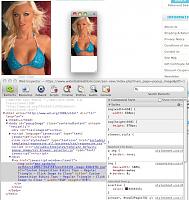
I have tried to enter the dimensions and here is what I found out. If I entered dimensions that exactly the same or larger than the original image, IH will not resize the image and it will be served from the directory where IH uploaded the image to. However, if the dimensions are set to something less than the full size of the original image, IH will resize the image to fit and this will be served from bmz_cache. This however will not resolve the issue of the image being served in thumbnail size. Here is a screenshot of how the image appears and the code, note that it is now from bmz_cache and the dimension is defined as 650x978.

Results 1 to 10 of 1688
Hybrid View
-
6 Jan 2015, 04:25 PM #1
 Zen Follower
- Join Date
- Nov 2011
- Posts
- 121
- Plugin Contributions
- 0
 Re: Image Handler 4 (for v1.5.x) Support Thread
-
6 Jan 2015, 06:15 PM #2
Totally Zenned
- Join Date
- Jan 2007
- Location
- Los Angeles, California, United States
- Posts
- 10,021
- Plugin Contributions
- 32
Re: Image Handler 4 (for v1.5.x) Support Thread
If there is NO re-sizing, then there is NO processing of the images by IH4 at all, and so YES, they will be served up from their original location. You are also correct that in order for the image to be re-sized and cached that at least ONE of the set dimensions in the settings must be LESS than the original image dimensions. This applies NOT just for the large images, but the small and medium images as well if you choose to upload a separate image for small and medium images versus letting IH4 create these images for you.. There are a FEW small image settings, and Zen Cart allows you to set them all differently if you so desire (ie: specials thumbnails can be different dimensions than the new products thumbnails for example), but in doing so, you will not be able to use the IH4 image hover feature. IH4's image hover feature is disabled if the small thumbnails on the product listings are not ALL the same dimensions.. Originally Posted by michaelchu

The reasoning behind the re-sizing logic is that IH4's PRIMARY purpose is to handle all of the re-sizing and image optimization work for you. If you upload images sized and compressed, you would NOT want the image processed again.. So it requires the image dimensions settings to determine if it should process an image or not.
The history behind this assumption is this:
Many shopowners have images that are sized at very large dimensions from digital cameras or supplier supplied pics. Many of these images are 2000+ pixels (height or width) and are at a very high resolutions which increase the overall image size. Historically shopowners would use these images and rely on "artificially" re-sizing the image dimensions using CSS or inline styling with default Zen Cart settings.. While the images would LOOK the right size, these techniques merely changes the screen output, but behind the scenes these images are still the same size and dimensions and when they load, they will impact the page load. Many shopowners do not have the photo editing tools (or skillset to use them) to edit their image sizes, and optimize them for the web. Also for many busy shopowners, this editing and optimization work is time consuming.
IH4 takes the work out of photo optimization by not only sizing the images to the dimensions the shopowner desires on the fly, it compresses the images so the file size is reduced and this helps with page load/performance.
If the large images being uploaded are ALREADY sized to the shopowners preferences then IH4 will do no work on the large images. It will then process the small and medium images UNLESS the shopowner uploads a specific small and medium image. Again, if the small and medium images uploaded are already re-sized to the specs set in the image settings, then IH4 will not process them.
Thinking that before I submit the IH4 update I have in the works that I should update the configuration on screen instructions and perhaps add a little sumthin' to the readme to cover this a little better..
That said your original reported issue with the thumbnail being served up when you click the larger image is still not an issue that I can replicate. Without more widespread reporting of this issue (it's not a "common" issue as you originally asserted), and the ability to replicate this issue, I do not believe it is an IH4 issue. Suggest you try downloading the version on my Github repo which has been updated for v1.5.4 of Zen Cart and see if it works WITHOUT your modification..Last edited by DivaVocals; 6 Jan 2015 at 06:18 PM.
My Site - Zen Cart & WordPress integration specialist
I don't answer support questions via PM. Post add-on support questions in the support thread. The question & the answer will benefit others with similar issues.
-
9 Jan 2015, 10:47 PM #3
Zen Follower
- Join Date
- Nov 2011
- Posts
- 121
- Plugin Contributions
- 0
Re: Image Handler 4 (for v1.5.x) Support Thread
Have been trying to upload images using IH4 and it has been a nightmare. The uploading process times out constantly, this was the same from IH3 as well. Has anyone else experienced this and is there a way to minimize this problem.
-
9 Jan 2015, 11:08 PM #4
Totally Zenned
- Join Date
- Jul 2012
- Posts
- 16,816
- Plugin Contributions
- 17
Re: Image Handler 4 (for v1.5.x) Support Thread
No, haven't had timeout problem, what size photos are you trying to upload? (Dimensions and file size.) Originally Posted by michaelchu
ZC Installation/Maintenance Support <- Site
Contribution for contributions welcome...
-
10 Jan 2015, 12:17 AM #5
Totally Zenned
- Join Date
- Jan 2007
- Location
- Los Angeles, California, United States
- Posts
- 10,021
- Plugin Contributions
- 32
Re: Image Handler 4 (for v1.5.x) Support Thread
need to check your error logs.. They may provide some hints as to what's happening.. post the results of your error logs along with the other information we normally as for.. (see below) Originally Posted by michaelchu
Most often this is a symptom of a server configuration limit which will terminate processing before the GD binaries can finish the image processing. Now this could be a simple server configuration change to increase memory limits so that GD can finish processing your images, but the MOST likely cause is that your original images are too large to begin with and your host's servers limits will ALWAYS stop the GD processing..
In order to determine what's going on, (and not waste time on endless guessing) you do need to provide some information.. Start with the following. Go to Tools > Server/Version Info and provide the following information:
- Zen Cart Version
- Server OS
- PHP Version
- PHP File Uploads (also tells us the max size setting)
- Database
- PHP Safe Mode
Also you don't say.. what version of IH4 are you running..
Finally what is the file size and dimensions of the image you are attempting to upload?? If POSSIBLE attach the image or provide a link where we can see the original pic in the exact size you are attempting to upload..My Site - Zen Cart & WordPress integration specialist
I don't answer support questions via PM. Post add-on support questions in the support thread. The question & the answer will benefit others with similar issues.
-
10 Jan 2015, 03:03 PM #6
Zen Follower
- Join Date
- Nov 2011
- Posts
- 121
- Plugin Contributions
- 0
Re: Image Handler 4 (for v1.5.x) Support Thread
After some more testing, it appears that IH4 image upload doesn't play nice with Safari. Same exact set of images loaded just fine using Firefox.
-
12 Jan 2015, 04:31 AM #7
New Zenner
- Join Date
- Oct 2007
- Posts
- 27
- Plugin Contributions
- 0
Re: Image Handler 4 (for v1.5.x) Support Thread
Is this fully functional with the current/newest Zen Cart v1.5.4 release? Thanks.

-
22 Jan 2015, 01:44 AM #8
New Zenner
- Join Date
- Feb 2014
- Location
- The Netherlands
- Posts
- 58
- Plugin Contributions
- 0
 Re: Image Handler 4 (for v1.5.x) Support Thread
Hi Guys,
I was wondering whether anyone could help me with the following problem. I'm currently running Zen Cart v.1.5.1 and Image Handler 4. I've noticed that certain images actually end up larger after compression and/or re-sizing. I have no idea why this happens as the original images are all identical (jpeg, same size, same export settings, etc.) and it only happens to some images. Has anyone encountered this problem before and if so, what could be the problem?
Thnx!

 Reply With Quote
Similar Threads
-
v158 Image Handler 5 (for v1.5.5 - v1.5.8) Support Thread
By lat9 in forum All Other Contributions/AddonsReplies: 749Last Post: 20 May 2026, 03:47 PM -
Attribute image replaces main product image on select [Support Thread]
By exoticcorpse in forum All Other Contributions/AddonsReplies: 176Last Post: 14 Dec 2025, 12:55 AM -
v139h Image Handler 3 Support Thread (for ZC v1.3.9)
By DivaVocals in forum All Other Contributions/AddonsReplies: 1095Last Post: 2 Oct 2017, 12:42 PM -
v138a Image Handler 2 (for ZC v1.3.8 ONLY) Support
By timkroeger in forum All Other Contributions/AddonsReplies: 7098Last Post: 12 Oct 2014, 03:48 AM -
Image Handler Support Please
By nadinesky in forum All Other Contributions/AddonsReplies: 2Last Post: 30 Sep 2013, 03:47 PM

