
Thank you. It is now working, and the reason is that when I first installed IH4, I got install errors. I researched through the forum and found this answer which basically tells you to IGNORE THE INSTALL ERRORS BECAUSE "The 1st message says that it has all the files in the right place THEREFORE it does not need to create all the files it says it DID NOT create.." See below in blue text.Originally Posted by yaritai

And it is thanks to your answer that after 5 days I finally found the answer in another part of the support thread which contradicted the "advice" given above in bold. I did what the person suggested in the other solution (see attached image to this post that gives the solution). and the problem was solved within 5 minutes of doing the exact process. The reason the hover/zoom was not working was because there were a number of files that had NOT BEEN TRANSFERRED USING THE AUTOINSTALLER - NOT BECAUSE "THE FILES WERE "IN THE RIGHT PLACE THEREFORE IT DOES NOT NEED TO CREATE ALL THE FILES IT SAYS IT DID NOT CREATE.
Thank you once again Yaritai. If any of the admins see this may I suggest the post giving the incorrect advice is modified so that at least, people searching for a solution (and it appears that there have been quite a few) have an alternative method of installation if the autoinstall does not work because of different server hosting settings/whatever.
"Originally Posted by creamcrackers View Post
Hi
I uploaded the files and it said
Success Image Handler files all exist in correct positions in the directory structure.
Warning CORE FILE OVERWRITE : /home/gogo/public_html/xxxxadmin/includes/modules/category_product_listing.php was NOT overwritten.
Warning CORE FILE OVERWRITE : /home/gogo/public_html/includes/modules/pages/popup_image/header_php.php was NOT overwritten.
Warning CORE FILE OVERWRITE : /home/gogo/public_html/includes/modules/pages/popup_image_additional/header_php.php was NOT overwritten.
Warning TEMPLATE FILE CREATE : /home/gogo/public_html/includes/modules/pure_blue_free/additional_images.phpwas NOT created.
Warning TEMPLATE FILE CREATE : /home/gogo/public_html/includes/modules/pure_blue_free/main_product_image.phpwas NOT created.
Warning TEMPLATE FILE CREATE : /home/gogo/public_html/includes/templates/pure_blue_free/css/style_imagehover.csswas NOT created.
Warning TEMPLATE FILE CREATE : /home/gogo/public_html/includes/templates/pure_blue_free/jscript/jscript_imagehover.jswas NOT created.
Warning TEMPLATE FILE CREATE : /home/gogo/public_html/includes/templates/pure_blue_free/popup_image_additional/tpl_main_page.phpwas NOT created.
Error The auto-loader YOURADMIN/includes/auto_loaders/config.image_handler.php has not been deleted. For Image Handler to work you must delete this file manually.
Success Image Handler has been successfully installed
The 1st message says that it has all the files in the right place THEREFORE it does not need to create all the files it says it DID NOT create.. Hopefully that's clear for you now..
The last message is very clear.. it tells you what to do and what file to do it to... Do you need further clarification on this message??
After this you are really gonna need to follow the guidelines on page 1 of this post to provide ALL the information we usually ask for to help you figure out the issues you are having..
Last edited by DivaVocals; 28 Jul 2012 at 04:59 AM. "
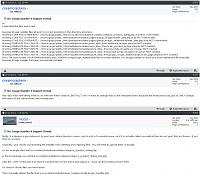
Here in the image below was the solution for me and the text from NICCOL if you can't see the image: (Thanks Niccol)
Re: Image Handler 4 Support Thread
firstly. it is always a good idea not to post your admin directory name. just is a bit of a security issue. so if it is actually called xxxxadmin then do not post that on forums. if not then no worries.
secondly, your server is preventing the installer from deleting and replacing files. You will need to upload them manually.
so for example start with xxxxadmin/includes/modules/category_product_listing.php
in the IH package you will find xxxxadmin/includes/modules/category_product_listing_IH4.php
strip the '_IH4' of the name so that it matches the correct name and upload it. ( back up the existing version first)
Do that for all the files you have listed.
Then manually delete the file that is xxxxadmin/includes/auto_loaders/config.image_handler.php

Results 1 to 10 of 1688
Hybrid View
-
14 Jun 2014, 08:03 AM #1
 New Zenner
- Join Date
- Jun 2014
- Posts
- 6
- Plugin Contributions
- 0
 Re: 4 days and 8 hrs a day later - hover effect still not working
-
14 Jun 2014, 04:46 PM #2
Totally Zenned
- Join Date
- Jan 2007
- Location
- Los Angeles, California, United States
- Posts
- 10,021
- Plugin Contributions
- 32
Re: 4 days and 8 hrs a day later - hover effect still not working
It has been acknowledged and DISCUSSED TO DEATH in this support thread that that the autoinstaller may not work for a SMALL NUMBER of server configurations.. and in that case you will have to MANUALLY install it.. We have NO WAY to know if you are on one of those RARE hosting configurations or what your issue was since you did not post that you had any install warnings/messages when you posted here initially..
Glad you got it working but SERIOUSLY!!?? You want the admins to edit my post?? I stand by what I said because that's WHAT that particular error message means..
Originally Posted by triplex
Last edited by DivaVocals; 14 Jun 2014 at 04:51 PM.
My Site - Zen Cart & WordPress integration specialist
I don't answer support questions via PM. Post add-on support questions in the support thread. The question & the answer will benefit others with similar issues.
-
15 Jun 2014, 09:24 AM #3
New Zenner
- Join Date
- Jun 2014
- Posts
- 6
- Plugin Contributions
- 0
Re: 4 days and 8 hrs a day later - hover effect still not working
My comments are meant to be helpful, and not as you have apparently taken them. Originally Posted by DivaVocals
The reason I did not post the initial install problem I encountered was because I found YOUR ANSWER and the subsequent replies you gave, which stated that the error message "says that it has all the files in the right place THEREFORE it does not need to create all the files it says it DID NOT create.. " The files were not in the right place, which is what is causing the problem. The files (in my case it was the template files) must be installed manually if the error/warning message appears, or the hover/zoom will not work.
Myself, and several others spent a significant amount of time following your instruction, to no avail. I can't understand why you are showing anger just because I have pointed out that your "answer" to the other poster is not correct. Please edit your post so that others who use a search engine to try to solve the problem can see that in the event of a problem installing, there is another option? Because of your authority on this product, and your insistence that the original person (and others) who had the same problem was wrong and must not be following the "instructions", people will obviously interpret your answer as being bona fide. Here again,below, is EXACTLY what you said and should be changed to show why the warning/error messages show on some installations. Your reply is emphatic that the non-creation of files (which causes the problem) is OK and intentional - which is not the case. The case in fact, is that the lack of creation of those files is the reason that the hover effect does not work, and they have to be installed manually. By the way, in my case, it was not the server that was at fault either, as it is my own, and nothing that was changed with settings etc over the period of 5 days trying to solve this could rectify the problem.
I think it is a great product, and realise that yourself and a number of others spend a great deal of their time on IH4, and for that I am grateful. Thank you.
Robert
"Originally Posted by creamcrackers View Post
Hi
I uploaded the files and it said
Success Image Handler files all exist in correct positions in the directory structure.
Warning CORE FILE OVERWRITE : /home/gogo/public_html/xxxxadmin/includes/modules/category_product_listing.php was NOT overwritten.
Warning CORE FILE OVERWRITE : /home/gogo/public_html/includes/modules/pages/popup_image/header_php.php was NOT overwritten.
Warning CORE FILE OVERWRITE : /home/gogo/public_html/includes/modules/pages/popup_image_additional/header_php.php was NOT overwritten.
Warning TEMPLATE FILE CREATE : /home/gogo/public_html/includes/modules/pure_blue_free/additional_images.phpwas NOT created.
Warning TEMPLATE FILE CREATE : /home/gogo/public_html/includes/modules/pure_blue_free/main_product_image.phpwas NOT created.
Warning TEMPLATE FILE CREATE : /home/gogo/public_html/includes/templates/pure_blue_free/css/style_imagehover.csswas NOT created.
Warning TEMPLATE FILE CREATE : /home/gogo/public_html/includes/templates/pure_blue_free/jscript/jscript_imagehover.jswas NOT created.
Warning TEMPLATE FILE CREATE : /home/gogo/public_html/includes/templates/pure_blue_free/popup_image_additional/tpl_main_page.phpwas NOT created.
Error The auto-loader YOURADMIN/includes/auto_loaders/config.image_handler.php has not been deleted. For Image Handler to work you must delete this file manually.
Success Image Handler has been successfully installed
The 1st message says that it has all the files in the right place THEREFORE it does not need to create all the files it says it DID NOT create.. Hopefully that's clear for you now..
The last message is very clear.. it tells you what to do and what file to do it to... Do you need further clarification on this message??
After this you are really gonna need to follow the guidelines on page 1 of this post to provide ALL the information we usually ask for to help you figure out the issues you are having..
Last edited by DivaVocals; 28 Jul 2012 at 04:59 AM. "
-
15 Jun 2014, 09:35 AM #4
Zen Follower
- Join Date
- Apr 2014
- Posts
- 154
- Plugin Contributions
- 0
Re: 4 days and 8 hrs a day later - hover effect still not working
I do see your comments as helpful as it will help others solve the same issue you had.
I think this shows that their is a fine line when trying to automate the install process. Personally I rather do a manual install as I have control over what goes wrong and can troubleshoot the issue by backtracking. But as you have seen an automated process while easier it can have its own problems, especially when some would rely on the error messages and overlook that as the causing the problem.
-
15 Jun 2014, 04:28 PM #5
Totally Zenned
- Join Date
- Jan 2007
- Location
- Los Angeles, California, United States
- Posts
- 10,021
- Plugin Contributions
- 32
Re: 4 days and 8 hrs a day later - hover effect still not working
Right.. fortunately most will come here, where we will help them as we always have.. Originally Posted by yaritai
My Site - Zen Cart & WordPress integration specialist
I don't answer support questions via PM. Post add-on support questions in the support thread. The question & the answer will benefit others with similar issues.
-
15 Jun 2014, 04:20 PM #6
Totally Zenned
- Join Date
- Jan 2007
- Location
- Los Angeles, California, United States
- Posts
- 10,021
- Plugin Contributions
- 32
Re: 4 days and 8 hrs a day later - hover effect still not working
First let me be CLEAR.. "anger" is YOUR interpretation of what I may or may not be feeling.. You don't KNOW how I'm feeling.. So you really should leave out the interpretative emotions out of your comments.. Originally Posted by triplex
Here's the issue I have/had with your comments... Calling out my comment alone as if the followup by niccol was not part of the SAME conversation takes what I said out of context and make it sound as if I somehow had posted MISINFORMATION and continue to do so.. I stand by my original response because the warning messages as described by the original poster on their face do MEAN WHAT I SAID.. Niccol's follow-up identifies that in CERTAIN CIRCUMSTANCES that particular MIX of install messages may be indicative of a problem with the auto-installer not properly copying over all the files IH4 needs to run.. I didn't know this at the time I posted my comments..
Can't and even if I could I wouldn't.. for the reasons I stated above.. Originally Posted by triplex
Seriously?? you are gonna post what I said AGAIN like I don't remember or something.. **SMH** Originally Posted by triplex
**SMH** Originally Posted by triplex

I KNOW that the "non-creation of files" WILL cause the module to misbehave.. The issue is you think that I was telling someone that this is "OK and intentional" and that's simply not true.. So let me say this again.. you are taking my response out of context.. If you follow that WHOLE line of discussion (instead of just pulling out my part of it and chastising me) niccol's follow-up to my initial response is based on the fact that the FINAL LINE of the install messages is a HINT that the auto installer failed. The messages as described by the original poster on their face do MEAN WHAT I SAID. However, niccol wrote the auto installer.. So she would know that though on their face the messages do MEAN WHAT I SAID, the particular mix of messages followed by a message indicating that the auto installer failed to delete itself was an indication that the auto installer did NOT properly copy the files over despite the messages to the contrary.. "Success Image Handler files all exist in correct positions in the directory structure."
So no.. even if I could (and I can't) edit my message I wouldn't.. for all the reasons stated here..
Again.. glad you got it working..
Happy Zenning..Last edited by DivaVocals; 15 Jun 2014 at 04:26 PM.
My Site - Zen Cart & WordPress integration specialist
I don't answer support questions via PM. Post add-on support questions in the support thread. The question & the answer will benefit others with similar issues.
-
4 Feb 2015, 11:54 PM #7
Totally Zenned
- Join Date
- Jan 2004
- Location
- N of San Antonio TX
- Posts
- 9,701
- Plugin Contributions
- 11
Re: 4 days and 8 hrs a day later - hover effect still not working
Had this little glitch before on another site with IH3 and wound up dropping it as we found no answer. Just had this (and two others show up on a recent upgrade to 1.5.4.
Please note that this was NOT caused by either a faulty installation or the mod itself.[04-Feb-2015 16:25:51 America/Chicago] #1 strstr() called at [/home/OURSITE/public_html/includes/classes/bmz_image_handler.class.php:129]
#2 ih_image->determine_image_sizetype() called at [/home/OURSITE/public_html/includes/classes/bmz_image_handler.class.php:55]
#3 ih_image->ih_image() called at [/home/OURSITE/public_html/includes/functions/extra_functions/functions_bmz_image_handler.php:55]
#4 handle_image() called at [/home/OURSITE/public_html/includes/functions/html_output.php:187]
#5 zen_image() called at [/home/OURSITE/public_html/includes/templates/template_default/popup_image/tpl_main_page.php:17]
#6 require(/home/OURSITE/public_html/includes/templates/template_default/popup_image/tpl_main_page.php) called at [/home/OURSITE/public_html/index.php:97]
[04-Feb-2015 16:25:51 America/Chicago] PHP Warning: strstr(): Empty needle in /home/enignet/public_html/includes/classes/bmz_image_handler.class.php on line 129
We found the problem absolutely by accident.
SOLUTION:
Somehow, the menu entry for Configuration >> Images >> Product Info - Image Large Suffix was BLANK The default is _LRG. Adding this back into the menu item cured the problem.
The symptom that led us to the _LRG setting was that IH4 was working fine EXCEPT when looking at the large image on a product's page. Also, when viewing a product in the IH4 Image Manager, there was no Large size image shown.
Again, this was not a fault of the installation or IH4 itself.
Might be something to consider having the setup look for when auto-loading. It could say something like, "Your Images >> Product Info - Image Suffixes cannot be blank. IH4 does not care if the suffix is _LRG or _GRL BUT it does need something there in both the Medium and Large or it will throw the error above.A little help with colors.
myZenCartHost.com - Zen Cart Certified, PCI Compatible Hosting by JEANDRET
Free SSL & Domain with semi-annual and longer hosting. Updating 1.5.2 and Up.
-
5 Feb 2015, 12:03 AM #8
Totally Zenned
- Join Date
- Jan 2004
- Location
- N of San Antonio TX
- Posts
- 9,701
- Plugin Contributions
- 11
Re: 4 days and 8 hrs a day later - hover effect still not working
Time out got me. Meant to add
BTW: Everything is working well with 1.5.4, Apache, 5.4.36 PHP, 5.5.40-cll MySQLA little help with colors.
myZenCartHost.com - Zen Cart Certified, PCI Compatible Hosting by JEANDRET
Free SSL & Domain with semi-annual and longer hosting. Updating 1.5.2 and Up.
-
5 Feb 2015, 12:57 AM #9
Totally Zenned
- Join Date
- Jan 2007
- Location
- Los Angeles, California, United States
- Posts
- 10,021
- Plugin Contributions
- 32
Re: 4 days and 8 hrs a day later - hover effect still not working
Wow!!! Nice catch!!! Don't cha just LOVE la9's backtrace plugin!!!! Handy as HE!! for tracing strange issues.. Originally Posted by dbltoe
Now how to fix/prevent from happening again..
Hmmmm..
Thinking that adding a warning to the auto-installer is absolutely correct (and I'll see if I can figure out how to do that), but I'm wondering if in addition to that perhaps the auto-installer should just update the value to _LRG if this is found to contain a blank or NULL value (something I KNOW I can manage to update )..
)..
OR..
Maybe the auto installer should update the value to DON'T_DELETE_THIS_OR_IMAGE_HANDLER_WILL_BREAK
Last edited by DivaVocals; 5 Feb 2015 at 12:59 AM.
My Site - Zen Cart & WordPress integration specialist
I don't answer support questions via PM. Post add-on support questions in the support thread. The question & the answer will benefit others with similar issues.
-
5 Feb 2015, 01:10 AM #10
Totally Zenned
- Join Date
- Jan 2004
- Location
- N of San Antonio TX
- Posts
- 9,701
- Plugin Contributions
- 11
Re: 4 days and 8 hrs a day later - hover effect still not working
backtrace is good but it wasn't used. Just happened to have two admin menus up from different sites and saw the missing _LRG. When you click to edit, it tells you that the default is _LRG.
Same thing happens with _MED just LOTS MORE WORSER.
Perhaps the installer should change them both to _BOO
A little help with colors.
myZenCartHost.com - Zen Cart Certified, PCI Compatible Hosting by JEANDRET
Free SSL & Domain with semi-annual and longer hosting. Updating 1.5.2 and Up.

 Reply With Quote

Similar Threads
-
v158 Image Handler 5 (for v1.5.5 - v1.5.8) Support Thread
By lat9 in forum All Other Contributions/AddonsReplies: 749Last Post: 20 May 2026, 03:47 PM -
Attribute image replaces main product image on select [Support Thread]
By exoticcorpse in forum All Other Contributions/AddonsReplies: 176Last Post: 14 Dec 2025, 12:55 AM -
v139h Image Handler 3 Support Thread (for ZC v1.3.9)
By DivaVocals in forum All Other Contributions/AddonsReplies: 1095Last Post: 2 Oct 2017, 12:42 PM -
v138a Image Handler 2 (for ZC v1.3.8 ONLY) Support
By timkroeger in forum All Other Contributions/AddonsReplies: 7098Last Post: 12 Oct 2014, 03:48 AM -
Image Handler Support Please
By nadinesky in forum All Other Contributions/AddonsReplies: 2Last Post: 30 Sep 2013, 03:47 PM

