
The import did not prompt any errors, but there was no value in the database.Originally Posted by mc12345678


Thread: EasyPopulate 4.0 Support Thread
Results 1 to 10 of 3673
Hybrid View
-
13 Jan 2020, 06:50 PM #1
 Zen Follower
- Join Date
- Apr 2018
- Posts
- 121
- Plugin Contributions
- 0
 Re: EasyPopulate 4.0 Support Thread
-
13 Jan 2020, 06:54 PM #2
Totally Zenned
- Join Date
- Jul 2012
- Posts
- 16,817
- Plugin Contributions
- 17
Re: EasyPopulate 4.0 Support Thread
And after the file was uploaded to the server, the file was then imported? (upload places the file on the server, import processes the file to push the content to the database.) this part has been misunderstood by some before. Originally Posted by jiji2018
ZC Installation/Maintenance Support <- Site
Contribution for contributions welcome...
-
13 Jan 2020, 07:13 PM #3
Zen Follower
- Join Date
- Apr 2018
- Posts
- 121
- Plugin Contributions
- 0
Re: EasyPopulate 4.0 Support Thread
The import did not prompt any errors, but there was no value in the database Originally Posted by mc12345678
-
13 Jan 2020, 07:16 PM #4
Zen Follower
- Join Date
- Apr 2018
- Posts
- 121
- Plugin Contributions
- 0
Re: EasyPopulate 4.0 Support Thread
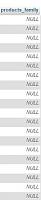
Is this set up correctly? Originally Posted by mc12345678
-
13 Jan 2020, 08:23 PM #5
Totally Zenned
- Join Date
- Jul 2012
- Posts
- 16,817
- Plugin Contributions
- 17
Re: EasyPopulate 4.0 Support Thread
That looks correct to support import by products_model. Might suggest changing the primary_key to products_id, exporting then updating the products_family field for the items with the appropriate products_id. Note, that if you are wanting to add new product, I recommend the use of new_blank as the promary key. Then new product that do not have a products_id will be given one. Originally Posted by jiji2018
ZC Installation/Maintenance Support <- Site
Contribution for contributions welcome...
-
14 Jan 2020, 06:40 PM #6
Zen Follower
- Join Date
- Apr 2018
- Posts
- 121
- Plugin Contributions
- 0
Re: EasyPopulate 4.0 Support Thread
I installed this plug-in, you can try, see where the problem is, I want to through the batch scale, batch import keywords. Originally Posted by mc12345678
I added custom fields and the content could not be imported
https://www.zen-cart.com/downloads.php?do=file&id=1357
-
16 Jan 2020, 07:00 PM #7
Zen Follower
- Join Date
- Apr 2018
- Posts
- 121
- Plugin Contributions
- 0
Re: EasyPopulate 4.0 Support Thread
What does new_blank and primary_key mean, I do n’t quite understand? Originally Posted by mc12345678
-
18 Jan 2020, 09:18 PM #8
New Zenner
- Join Date
- Jan 2020
- Location
- Omaha, NE
- Posts
- 4
- Plugin Contributions
- 0
Re: EasyPopulate 4.0 Support Thread
In process of moving from Oscommerce to Zen Cart. Part of process is using Easy Populate to export default Zen Cart product database to use as spreadsheet template. Installed EP 4.0, shows up in tools, but when I try to export I get an immediate 500 error. Same thing happens no matter what option I try. We do have the zen cart directory set up below the top level domain but pretty sure I've put temp directories for EP to copy to.
Thoughts?
Zoom
-
18 Jan 2020, 09:27 PM #9
Totally Zenned
- Join Date
- Jul 2012
- Posts
- 16,817
- Plugin Contributions
- 17
Re: EasyPopulate 4.0 Support Thread
Check the logs directory for myDebug-adm related files to see what is going on. May be a permissions issue of the folder used as a destination, may be something else. Originally Posted by zoomnbyu
ZC Installation/Maintenance Support <- Site
Contribution for contributions welcome...
-
18 Jan 2020, 09:45 PM #10
Totally Zenned
- Join Date
- Jul 2012
- Posts
- 16,817
- Plugin Contributions
- 17
Re: EasyPopulate 4.0 Support Thread
I believe you were asking about the differences between new_blank and products_id, but I'll describe both. Originally Posted by jiji2018
In order to identify a single product in the database, there must be some field that contains information specific to that product. That is a generic description of a primary_key. It is possible for a table/product/object to be identified by a combination of fields to identify a unique field or primary_key for that thing.
The primary key is most important when importing. This way the field can be used to match up with the item in the database. Zen Cart does not require products_model to be unique, so it is possible that two product could have the same products_model. But, every product is given a products_id.
By providing the products_id and the data to be updated, that product can receive the desired update. But, the database normally manages products_id assignment such that a historical product remains a part of the database in some way.
So there came a request by someone to allow the generation of a product by assigning a products_id and there also was a desire to just be able to create product without being worried about a unique products_model. So, a method was developed to allow product management specifically by products_id such that if the products_id were empty on import, that row of data would be ignored just like it is when working with products_model as a primary_key. But... then there was the concern of how to create a new product without knowing the latest/next products_id... So, the use of a blank entry as the products_id identifier seemed like the right way to go and it had to be specifically set...
So now, if the primary_key is set to blank_new, for any product that has the products_id field, if the products_id field is empty, a new product will be attempted to be created. If the primary_key is set simply to products_id, then a blank entry for products_id field will cause that row to be ignored.ZC Installation/Maintenance Support <- Site
Contribution for contributions welcome...

 Reply With Quote
Similar Threads
-
Hebrew Support - latest release [Support Thread]
By eranariel in forum Addon Language PacksReplies: 22Last Post: 26 Jan 2026, 06:47 AM -
BackUp ZC [Support Thread]
By skipwater in forum All Other Contributions/AddonsReplies: 285Last Post: 23 Dec 2020, 10:40 AM -
Wordpress On ZC [Support Thread]
By hira in forum All Other Contributions/AddonsReplies: 1858Last Post: 17 Jan 2014, 01:24 AM -
ZJ Black 2 support thread
By Liamv in forum Addon TemplatesReplies: 1Last Post: 15 Feb 2010, 02:53 PM

