Zen Cart Logo
Forums / Setting Up Categories, Products, Attributes / How to add additional images in admin?

How to add additional images in admin?

Locked

Views: 769

Results 1 to 2 of 2
This thread is locked. New replies are disabled.
18 Nov 2010, 12:19 PM
#1
sharontan avatar

sharontan

New Zenner

Join Date:
Nov 2010
Posts:
57
Plugin Contributions:
0

How to add additional images in admin?

Hi, I got my programmer to build my website for me via oscommerce.

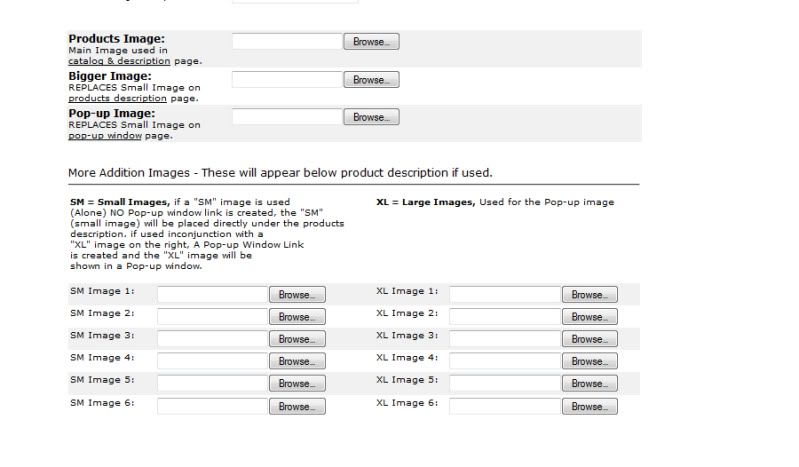
But right now I am trying to build another site on my own via zencart. I have seen the tutorial for adding additional images, however it is very manual way.

Is there a way I can do it like the one below which my programmer did for me for my other website via oscommerce.
18 Nov 2010, 3:06 PM
#2
gjh42 avatar

gjh42

Black Belt

Join Date:
Jul 2005
Location:
Upstate NY
Posts:
21,876
Plugin Contributions:
8

Re: How to add additional images in admin?

You might look at Image Handler 2. I have not used it, but I understand that it allows associating images with a product without renaming the images. In a way, it is more manual than the stock method because it requires you to enter every filename in a page, whereas the stock method requires nothing more than naming the additional images and uploading them by FTP (this can be done in bulk).