Forums / Addon Sideboxes / Ezpages Improved Menus support

Ezpages Improved Menus support

Views: 28,604

Results 21 to 40 of 66
6 Aug 2011, 5:59 PM
#21
keezee avatar

keezee

New Zenner

Join Date:
Jun 2010
Posts:
38
Plugin Contributions:
0

Ezpages Improved Menus support

Trying to install this now and I want to use .png files instead of .gif.

I am trying to edit 'image_titles_defines' but the file is blank...

Any ideas?

EDIT: Apparently, the older download link contains a blank file and the newer one has one with code!

I'll be on my way now, thanks!

6 Aug 2011, 6:37 PM
#22
keezee avatar

keezee

New Zenner

Join Date:
Jun 2010
Posts:
38
Plugin Contributions:
0

Re: Ezpages Improved Menus support

Hello again,

It works perfectly, thanks-a-million!

Just for the sake of other slow people, like me... The 'ez-page id' is a number (the number '2' in my case) and NOT the title of the link such as 'Product Catalogs' or something.

Other addons have you name the image whatever the text for the link is, but this one is much easier. My image is named 'ezpside2.png' instead of 'ezpsideProduct_Catalogs.png'

Thanks again!

6 Sep 2011, 5:09 AM
#23
rbarbour avatar

rbarbour

Totally Zenned

Join Date:
Feb 2010
Posts:
2,159
Plugin Contributions:
10

Re: Ezpages Improved Menus support

Glenn,

Again, love the flexibility, got one question. Any easy way to add the onmouseover event to images?

6 Sep 2011, 12:03 PM
#24
gjh42 avatar

gjh42

Black Belt

Join Date:
Jul 2005
Location:
Upstate NY
Posts:
21,876
Plugin Contributions:
8

Re: Ezpages Improved Menus support

Perhaps if you knew javascript there would be:)

If you want the same change to happen to all links on hover (not an individual image being swapped), you could make the image partly transparent and apply CSS to give it a border, background, etc. that can change on hover or visited states. It would take a relatively minor code change to give each link an id so that it can be addressed individually in the stylesheet and be fully CSS-manageable.

6 Sep 2011, 2:18 PM
#25
rbarbour avatar

rbarbour

Totally Zenned

Join Date:
Feb 2010
Posts:
2,159
Plugin Contributions:
10

Re: Ezpages Improved Menus support

Looks like I will try to add an id to each link, I like being able to have 100% control via the stylesheet.

6 Sep 2011, 3:06 PM
#26
gjh42 avatar

gjh42

Black Belt

Join Date:
Jul 2005
Location:
Upstate NY
Posts:
21,876
Plugin Contributions:
8

Re: Ezpages Improved Menus support

In tpl_ezpages_bar_header.php, add after the <a

id="ezpagesTopLink' . $var_linksList[$i]['id'] . '

to this linephp echo '<li><a href="' . $var_linksList[$i]['link'] . '"' . active_page_class($var_linksList[$i]['id'],$var_linksList[$i]['altURL']) . '>' . text_image_sub($var_linksList[$i]['name'], 'ezphead' . $var_linksList[$i]['id']/*, '', EZPAGES_TOP_ICONS*/) . '</a>' . (($i < $n and EZPAGES_SEPARATOR_HEADER)? '<span class="separator">' . EZPAGES_SEPARATOR_HEADER . '</span>' : '') . '</li>' . "\n"; to get```php
echo '<li><a id="ezpagesTopLink' . $var_linksList[$i]['id'] . ' href="' . $var_linksList[$i]['link'] . '"' . active_page_class($var_linksList[$i]['id'],$var_linksList[$i]['altURL']) . '>' . text_image_sub($var_linksList[$i]['name'], 'ezphead' . $var_linksList[$i]['id']/, '', EZPAGES_TOP_ICONS/) . '</a>' . (($i < $n and EZPAGES_SEPARATOR_HEADER)? '<span class="separator">' . EZPAGES_SEPARATOR_HEADER . '</span>' : '') . '</li>' . "\n";

6 Sep 2011, 3:16 PM
#27
gjh42 avatar

gjh42

Black Belt

Join Date:
Jul 2005
Location:
Upstate NY
Posts:
21,876
Plugin Contributions:
8

Re: Ezpages Improved Menus support

Correction to use the current file version instead of the new unreleased version:

In tpl_ezpages_bar_header.php, add before the ' . active_page_class(

id="ezpagesTopLink' . $var_linksList[$i]['id'] . '"'

to this linephp echo '<li><a href="' . $var_linksList[$i]['link'] . '"' . active_page_class($var_linksList[$i]['id'],$var_linksList[$i]['altURL']) . '>' . title_image_exists($var_linksList[$i]['name'], 'ezphead' . $var_linksList[$i]['id']) . '</a>' . (($i < $n and EZPAGES_SEPARATOR_HEADER)? '<span class="separator">' . EZPAGES_SEPARATOR_HEADER . '</span>' : '') . '</li>' . "\n"; to get```php
echo '<li><a href="' . $var_linksList[$i]['link'] . '" id="ezpagesTopLink' . $var_linksList[$i]['id'] . '"' . active_page_class($var_linksList[$i]['id'],$var_linksList[$i]['altURL']) . '>' . title_image_exists($var_linksList[$i]['name'], 'ezphead' . $var_linksList[$i]['id']) . '</a>' . (($i < $n and EZPAGES_SEPARATOR_HEADER)? '<span class="separator">' . EZPAGES_SEPARATOR_HEADER . '</span>' : '') . '</li>' . "\n";

6 Sep 2011, 4:03 PM
#28
gjh42 avatar

gjh42

Black Belt

Join Date:
Jul 2005
Location:
Upstate NY
Posts:
21,876
Plugin Contributions:
8

Re: Ezpages Improved Menus support

The feature improvement I mentioned is discussed in this thread, for those who are interested.
It allows an image to be added before or after the text rather than simply substituted for the text, if desired. This can be used for icons. The link id feature described above would also allow for this kind of icon to be added as a background, so there are multiple possibilities. I would appreciate feedback on which ones people find most useful and easiest.

6 Sep 2011, 5:52 PM
#29
rbarbour avatar

rbarbour

Totally Zenned

Join Date:
Feb 2010
Posts:
2,159
Plugin Contributions:
10

Re: Ezpages Improved Menus support

Awesome, great work & mod as always! :smile:

I used the link id feature, very easy and flexible. I made all my changes via CSS.

And simply adjusting padding allowed me to include an icon to the background image before text, after text & both before and after.

In my opinion the link id feature would work for both situations!

Thanks again Glenn!

Only tested in FF and still a template in progress but you can see in action here.

Home link has an icon before text & Review link has an icon after text.

7 Sep 2011, 2:40 AM
#30
gjh42 avatar

gjh42

Black Belt

Join Date:
Jul 2005
Location:
Upstate NY
Posts:
21,876
Plugin Contributions:
8

Re: Ezpages Improved Menus support

Thanks for posting the example! That's a nice use of the hover and current page highlighting, as well as the icons.

The background location for icons is more flexible (before or after text at will, as opposed to a global setting for before or after). On the other hand, its flexibility means that every link may need to be individually fine-tuned instead of letting the foreground images automatically make the space they need...

12 Sep 2011, 3:27 PM
#31
stevesh avatar

stevesh

Black Belt

Join Date:
Feb 2005
Location:
Lansing, Michigan USA
Posts:
19,793
Plugin Contributions:
2

Re: Ezpages Improved Menus support

Great mod. Thought I'd offer a tip. I created four EZ pages, including one pointing to Home, with an internal link to the main page. The styling I specified for the active page link worked great for the other three, but not for Home. Finally, I tried adding / to the Internal Link URL, and now the Home link styling works too.

16 Sep 2011, 6:16 AM
#32
gjh42 avatar

gjh42

Black Belt

Join Date:
Jul 2005
Location:
Upstate NY
Posts:
21,876
Plugin Contributions:
8

Re: Ezpages Improved Menus support

On my local test site, there are a few ways to get a working home link that styles correctly when current. Using http://path_to_zen_cart/ or index.php or index.php?main_page=index as the internal link all work.

http://path_to_zen_cart without the ending / works as a link but not for styling.

http://path_to_zen_cart/ would be the best form for a home link, as it will give the clean base address when clicked. As an absolute link, it would not, of course, be portable to a clone or test installation without editing.

It took a bunch of experimentation to get code that would handle any working home link for current styling, and it seems I missed one possible version, though I think you could only get that by entering the slash-free link in the ez-page.

27 Jan 2012, 6:53 PM
#33
lolwaut avatar

lolwaut

Zen Follower

Join Date:
Dec 2010
Posts:
142
Plugin Contributions:
0

Re: Ezpages Improved Menus support

Thanks for the mod. Seems to be working great for what I need it to do so far.

A quick question:

How do I "style" the links? I am not good with CSS so an actual example would be great.

I would like to change to color and weight of a couple of the links... not all of them.

Any help is appreciated... thanks!

27 Jan 2012, 8:43 PM
#34
gjh42 avatar

gjh42

Black Belt

Join Date:
Jul 2005
Location:
Upstate NY
Posts:
21,876
Plugin Contributions:
8

Re: Ezpages Improved Menus support

Rather than give random examples, let me see your site and identify the links you want changed, and I will show you how. The styling will be different for sideboxes and header, so I can't advise correctly without knowing that.
The first style rule in stylesheet_ezpages_improved_menus.css shows changing the color and weight for the current active page link.

28 Jan 2012, 1:30 PM
#35
lolwaut avatar

lolwaut

Zen Follower

Join Date:
Dec 2010
Posts:
142
Plugin Contributions:
0

Re: Ezpages Improved Menus support

gjh42:

Rather than give random examples, let me see your site and identify the links you want changed, and I will show you how. The styling will be different for sideboxes and header, so I can't advise correctly without knowing that.
The first style rule in stylesheet_ezpages_improved_menus.css shows changing the color and weight for the current active page link.

Sure, I can provide a link.... Unfortunately, I have a new problem. I'm pretty sure it is related to this mod, as I don't think the behavior was occurring before I installed this. The link is: http://tinyurl.com/7pnwxps

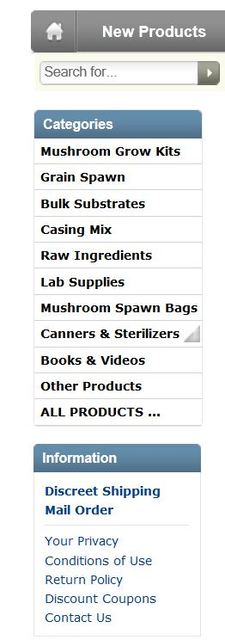
As far as menus are concerned, I have CSS Flyout and Ezpages Improved Menus installed. What is happening is very strange.... When my page is in MAINTENANCE MODE, my menus looks normal:

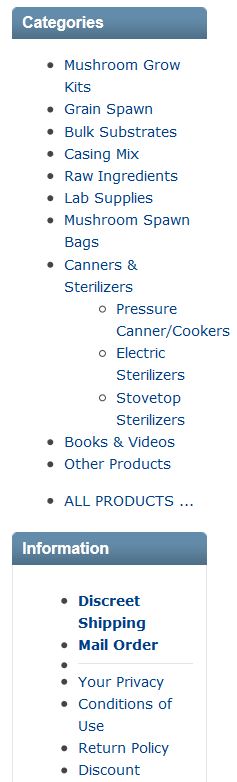
When my page is taken out of maintenance mode, my menus "break":

I really need to pinpoint this problem and correct it. Any help is appreciated.

28 Jan 2012, 2:11 PM
#36
lolwaut avatar

lolwaut

Zen Follower

Join Date:
Dec 2010
Posts:
142
Plugin Contributions:
0

Re: Ezpages Improved Menus support

My problem is definitely related to this mod. When I turn off "EZ-Pages Display Status - Sidebox" in the EZ-Pages settings, my flyout menu goes back to normal... unfortunately, I also lose the sidebox. Any suggestions?

By the way, my Information sidebox is really a modified EZ-Pages sidebox... just in case there was some confusion.

28 Jan 2012, 6:41 PM
#37
gjh42 avatar

gjh42

Black Belt

Join Date:
Jul 2005
Location:
Upstate NY
Posts:
21,876
Plugin Contributions:
8

Re: Ezpages Improved Menus support

I'm seeing normal operation of the ezpages sidebox and the flyout menu. Did you change something, or was it a local effect or??

29 Jan 2012, 2:24 AM
#38
lolwaut avatar

lolwaut

Zen Follower

Join Date:
Dec 2010
Posts:
142
Plugin Contributions:
0

Re: Ezpages Improved Menus support

gjh42:

I'm seeing normal operation of the ezpages sidebox and the flyout menu. Did you change something, or was it a local effect or??

No, I didn't change anything. Can you try refreshing the page a few times? Sometime it shows up normal, and sometimes it appears "broken"

30 Jan 2012, 4:27 AM
#39
gjh42 avatar

gjh42

Black Belt

Join Date:
Jul 2005
Location:
Upstate NY
Posts:
21,876
Plugin Contributions:
8

Re: Ezpages Improved Menus support

I saw it broken the first time I went there just now (with Firebug active from my previous visit), and it took some dozens of refreshes and new page clicks before getting the malfunction again, then a few dozen before it went away.

Your site does not have /includes/templates/your_template/css/stylesheet_ezpages_improved_menus.css active, or any of its rules in other stylesheets. What happens if you upload that?

30 Jan 2012, 10:24 AM
#40
lolwaut avatar

lolwaut

Zen Follower

Join Date:
Dec 2010
Posts:
142
Plugin Contributions:
0

Re: Ezpages Improved Menus support

gjh42:

I saw it broken the first time I went there just now (with Firebug active from my previous visit), and it took some dozens of refreshes and new page clicks before getting the malfunction again, then a few dozen before it went away.

Your site does not have /includes/templates/your_template/css/stylesheet_ezpages_improved_menus.css active, or any of its rules in other stylesheets. What happens if you upload that?

Thanks so much for your help. The error wasn't related to this mod or CSS flyout at all. It was all due to a misplaced bracket in my stylesheet. Took me over a day to figure it out! Thanks for looking anyway...