2 May 2007, 1:25 PM

Zen Follower
- Join Date:
- Jul 2006
- Location:
- Cardiff, Wales
- Posts:
- 308
- Plugin Contributions:
- 0
Google Checkout module for ZC 1.3.x (beta)
For using Coupons...
Login to google checkout. You need a google checkout account even as a customer in order to completed checkout with google. As is logging in so Google know which credit card to charge :) Once logged in then there is field to enter coupon and the customer can enter coupon and click on apply. Amazingly it actually works!
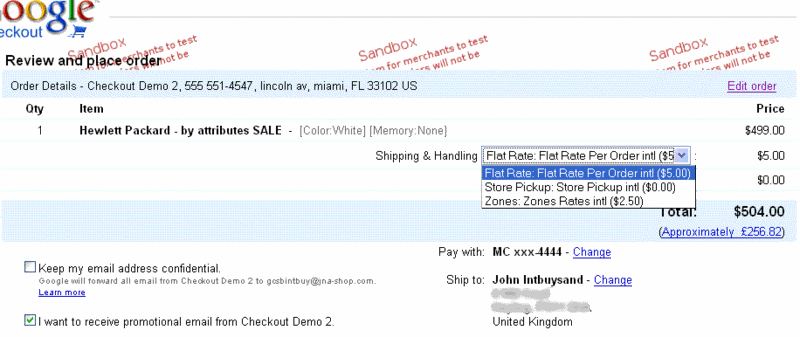
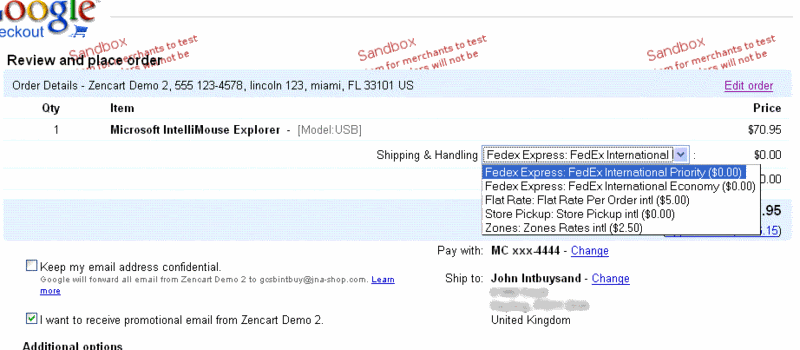
Sorry but dont see it. I logged in and can see my order in the table. I can choose shipping methods from the drop down. I can see the Place Order button which places the order. No coupon option.
I've posted it on Google but no reply. Will keep pushing them.