Zen Cart Logo
Forums / Managing Customers and Orders / reformatting invoice - from landscape to portrait

reformatting invoice - from landscape to portrait

Locked

Views: 2,606

Results 1 to 4 of 4
This thread is locked. New replies are disabled.
22 Jan 2007, 7:48 AM
#1
zas avatar

zas

Zen Follower

Join Date:
Oct 2006
Posts:
138
Plugin Contributions:
0

reformatting invoice - from landscape to portrait

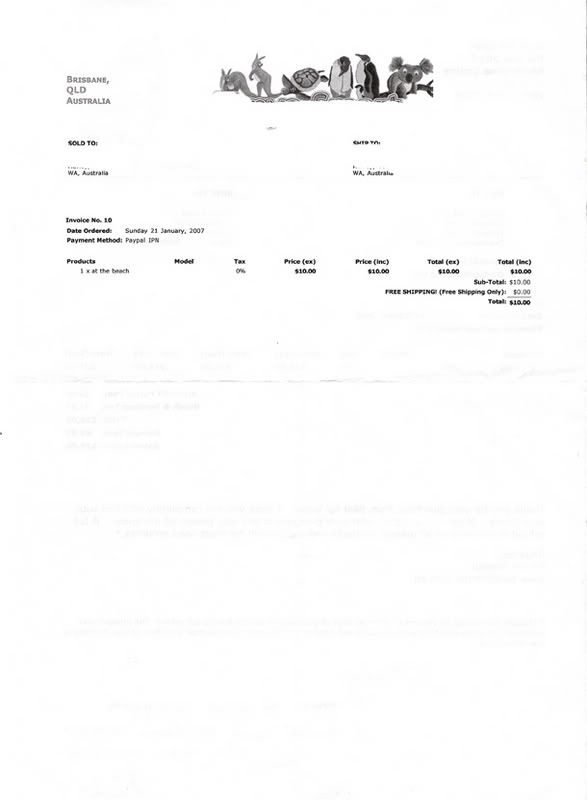
My invoice is printing really small. How can I change the layout of my invoice, like removing model for eg, what file will I need to adjust? I t prints perfectly as a landscape invoice, but I want it portrait. When i print on to portrait, it doesn't print the line under the logo and you can hardly read the font it is so small. When I save it as a pdf (portrait) it cuts off half the columns. Landscape is fine, line is there, can read the fonts... Here are some pics of what it looks like now.
23 Jan 2007, 9:27 AM
#2
zas avatar

zas

Zen Follower

Join Date:
Oct 2006
Posts:
138
Plugin Contributions:
0

Re: reformatting invoice - from landscape to portrait

anyone, sure i is something easy I am missing...

23 Jan 2007, 11:39 AM
#3
kuroi avatar

kuroi

Totally Zenned

Join Date:
Apr 2006
Location:
London, UK
Posts:
10,475
Plugin Contributions:
11

Re: reformatting invoice - from landscape to portrait

The content of your invoice is determined by invoice.php file that you will find in your site's admin folder.

This simply creates a table-based layout that can be displayed on the screen and printed. How it prints will depend on your browser, your browser settings, your printer and your printer settings, though you may be able to influence these to some extent through the admin/includes/stylesheet_print.css file.

24 Jan 2007, 12:16 AM
#4
zas avatar

zas

Zen Follower

Join Date:
Oct 2006
Posts:
138
Plugin Contributions:
0

Re: reformatting invoice - from landscape to portrait

thanks, will try those options